AssetPanda vs. Snipe-IT vs. AssetPegasus: Which Asset Management Tool Is Right for SMBs?
By AssetPegasus Team•September 16, 2026
Quick Answer
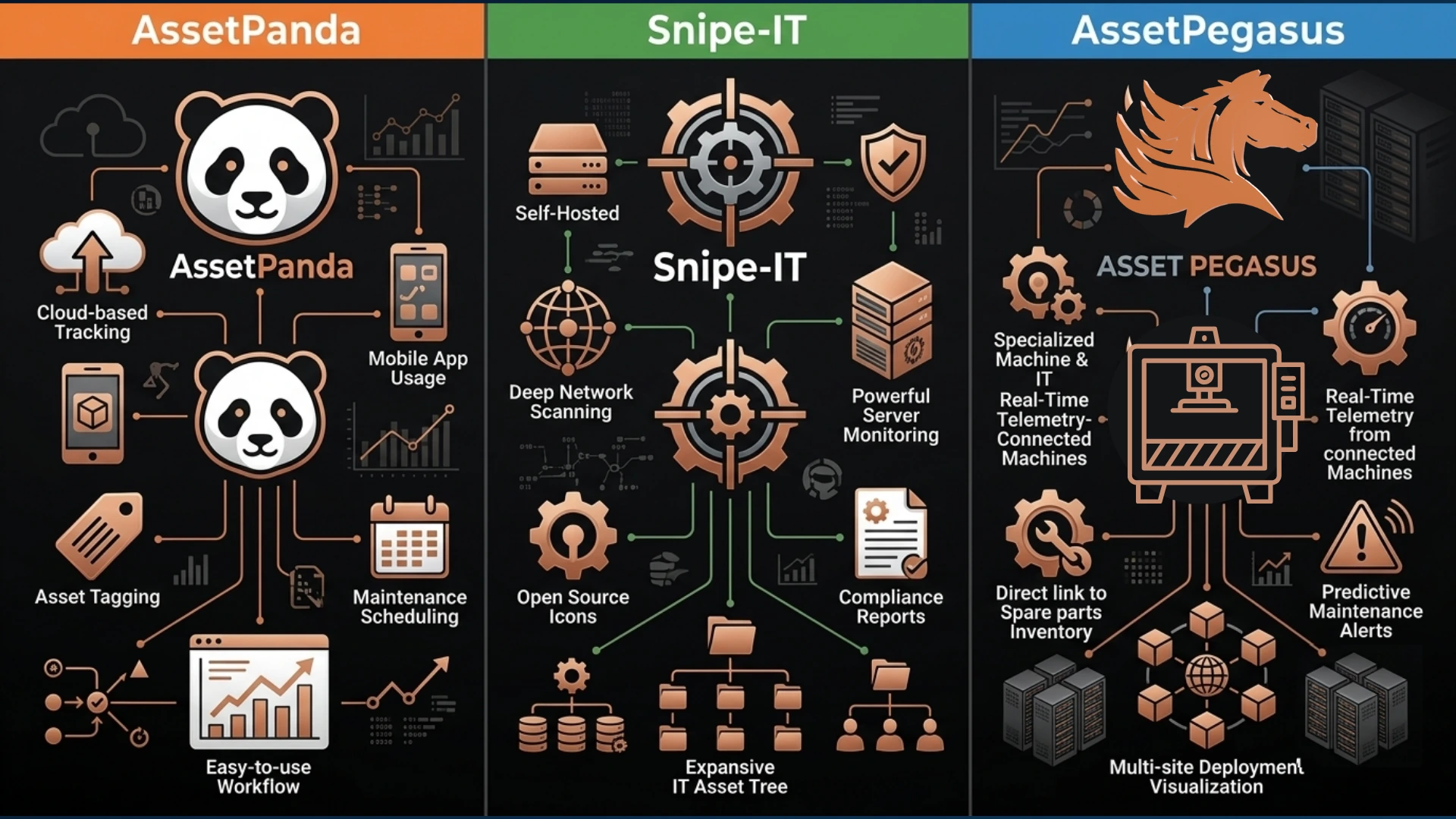
AssetPanda, Snipe-IT, and AssetPegasus approach asset management differently. AssetPanda focuses on configurable asset workflows, mobile operations, reporting, automation, and organizations managing assets across teams and locations. Snipe-IT is an open-source IT asset management platform particularly suited to organizations that primarily need to track computers, devices, assignments, locations, users, and asset history. AssetPegasus combines IT asset management with physical equipment and machinery management, while also providing warranty, insurance, maintenance, renewal, and lifecycle tracking.
For a small or medium-sized business, the appropriate choice depends on what the organization actually needs to manage. Businesses primarily focused on IT device tracking can evaluate Snipe-IT's IT-focused capabilities. Organizations requiring configurable workflows and broader operational asset management can evaluate AssetPanda. Businesses managing both IT assets and physical assets such as machinery, equipment, vehicles, tools, and electronics can evaluate AssetPegasus's combined IT and physical asset management approach.
The most important comparison is therefore not simply how many assets a platform can store. SMBs should consider the types of assets they manage, lifecycle requirements, maintenance processes, warranty and insurance needs, locations, assignments, reporting requirements, deployment model, and future scalability.
What Should SMBs Look for in Asset Management Software?
Small and medium-sized businesses often start with Excel, Google Sheets, shared folders, or individual departmental records for tracking assets.
These approaches can become difficult to manage as the number and variety of assets increase. Businesses may need to answer questions such as where a machine is currently located, who is responsible for a laptop, when equipment warranty coverage expires, when maintenance is due, whether an asset is insured, what repairs have already been performed, which software licenses need renewal, or what assets are deployed at another branch.
Modern asset management software for small businesses should bring these records into a centralized system instead of requiring employees to search through multiple spreadsheets, documents, and departmental records.
Asset Location
Identify where a machine, computer, vehicle, tool, or other asset is currently located.
Asset Assignment
Track which employee, department, or user is responsible for an asset.
Warranty Management
Identify warranty status and upcoming warranty expiration dates.
Maintenance Tracking
Track completed maintenance and upcoming maintenance requirements.
Insurance Tracking
Maintain insurance-related information for assets where coverage tracking is required.
Repair History
Maintain a record of repairs and other lifecycle events.
Software Renewals
Track software assets and renewal requirements.
Key Takeaway
The important question is not simply how many assets a platform can track. SMBs should evaluate what types of assets and lifecycle information the platform can manage.
AssetPanda vs Snipe-IT vs AssetPegasus: Capability Comparison
AssetPanda, Snipe-IT, and AssetPegasus provide overlapping asset management capabilities, but they are positioned around different operational requirements.
The following comparison summarizes the capabilities described in the source material. Feature availability can change by product version, plan, configuration, or implementation, so specific requirements should be verified with each vendor before purchasing.
Capability
AssetPanda
Snipe-IT
AssetPegasus
IT asset tracking
✓
✓
✓
Physical equipment
✓
✓
✓
Machinery management
✓
Limited fit
✓
Software assets
✓
✓
✓
Asset history
✓
✓
✓
Maintenance tracking
✓
✓
✓
Warranty tracking
✓
✓
✓
Insurance tracking
Available through configuration/workflows
Not a core focus
✓
Multi-location tracking
✓
✓
✓
QR/barcode workflows
✓
✓
✓
Mobile access
✓
Mobile-friendly
✓
Open source
No
✓
No
IT + machinery focus
Broad configurable platform
Primarily IT asset management
✓
Key Takeaway
The three platforms overlap in core asset tracking, but their approaches differ in configurability, IT focus, physical equipment support, open-source deployment, and the breadth of lifecycle information connected to each asset.
1
AssetPanda: Configurable Asset Management for Growing Organizations
AssetPanda is designed around configurable asset management workflows.
Its platform supports custom fields and workflows, mobile asset operations, barcode and QR-code scanning, reporting, dashboards, inspections, and integrations.
AssetPanda also positions its software for IT, operations, facilities, construction, education, healthcare, and other environments.
This makes it relevant when an SMB has moved beyond basic inventory tracking and needs more structured operational workflows.
Configurable Asset Fields and Workflows
Organizations can configure asset information and workflows around their operational requirements.
Mobile Asset Management
Mobile functionality supports asset operations outside a traditional desktop workflow.
Barcode and QR Scanning
Barcode and QR-code workflows can be used to identify and manage assets.
Inspections and Audits
Inspection and audit capabilities support operational asset-management processes.
Reporting and Dashboards
Reporting and dashboard functionality provides visibility into asset information.
Asset Lifecycle Management
Asset lifecycle processes can be incorporated into configurable workflows.
IT and Operational Asset Tracking
The platform is positioned for both IT and broader operational asset-management requirements.
Key Takeaway
AssetPanda is centered on configurable workflows and broader operational asset management, making workflow requirements an important factor when evaluating the platform.
2
Snipe-IT: Open-Source IT Asset Management
Snipe-IT takes a different approach from configurable operational asset-management platforms. It is an open-source IT asset management platform that can be self-hosted for free.
Its core functionality includes asset assignment, locations, users, asset history, custom fields, QR labels, warranty and license alerts, auditing, imports and exports, and a REST API.
Snipe-IT can therefore be particularly relevant to a small IT team that wants control over its infrastructure and primarily needs to manage computers, laptops, peripherals, software-related assets, and user assignments.
The platform also provides a hosted service, while self-hosting remains available without a software license fee.
Open-Source Software
Snipe-IT provides an open-source deployment option.
Self-Hosting
Organizations can host the software themselves.
IT Device Tracking
The platform is centered strongly around IT asset management.
User Assignment
Assets can be assigned to users and tracked through their lifecycle.
Asset History
Historical asset information can be maintained.
QR and Barcode Support
QR labels and barcode-oriented workflows support asset identification.
REST API
The REST API supports integrations with other systems.
Low-Cost Starting Point
The self-hosted open-source model provides an option without a software license fee.
Key Takeaway
Snipe-IT is fundamentally centered around IT asset management, so organizations managing substantial physical equipment should evaluate whether its workflows match their operational requirements.
3
AssetPegasus: Combining IT and Physical Asset Management
AssetPegasus is designed around a hybrid requirement that many SMBs face: they do not own only laptops and servers.
A manufacturing company may manage machines, production equipment, computers, software licenses, tools, and other operational assets.
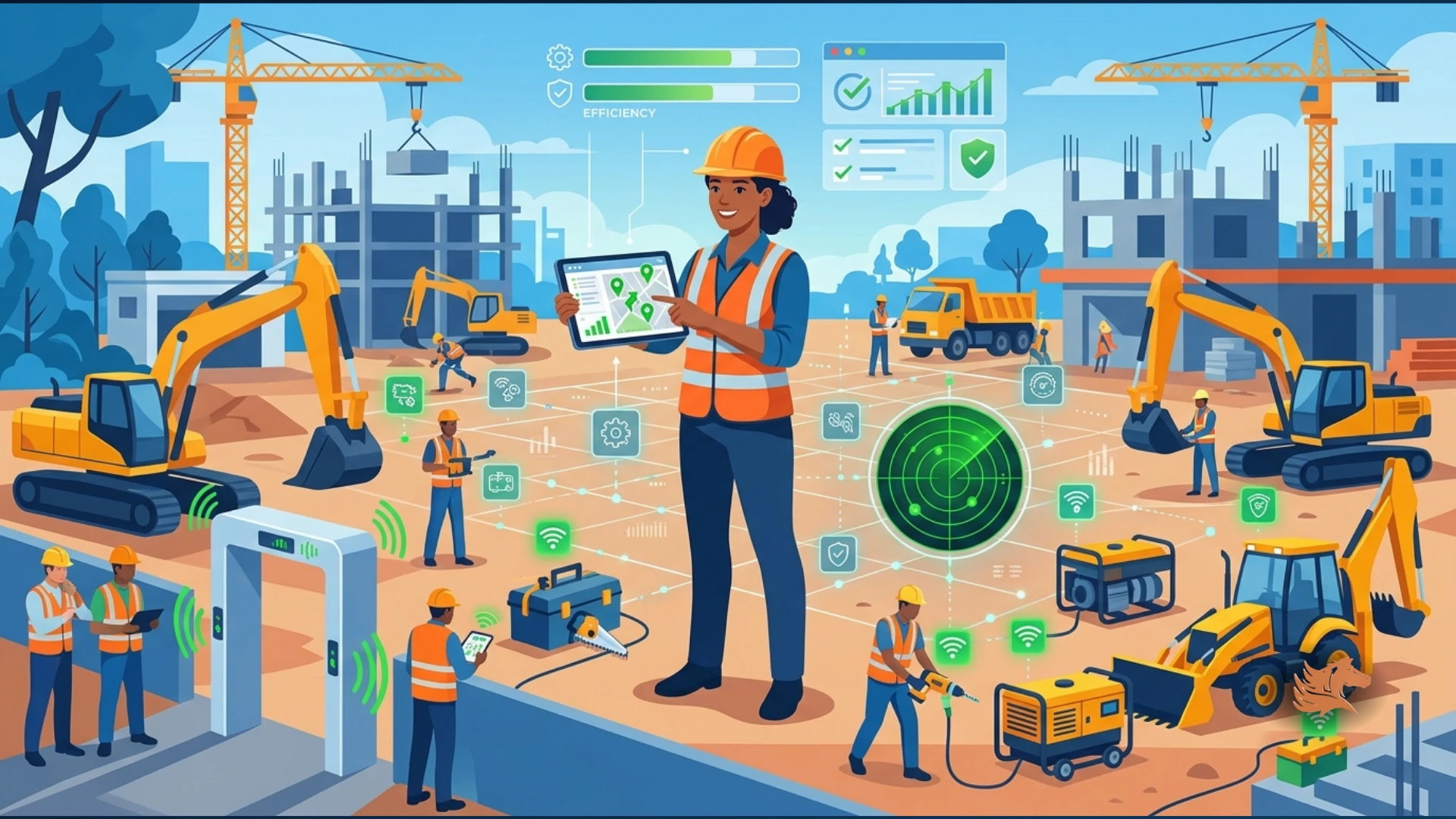
A construction company may manage excavators, generators, vehicles, tools, laptops, and digital assets.
A healthcare organization may manage medical equipment alongside computers and other IT infrastructure.
AssetPegasus brings these physical and digital assets into one asset management system. Its platform focuses on machine and IT asset management, including maintenance, warranty, insurance, renewals, asset history, reporting, and multi-location visibility.
IT Asset Management
Manage computers, software, and other digital or IT-related assets.
Machinery and Equipment Tracking
Track physical machinery and operational equipment alongside IT assets.
Physical Asset Management
Maintain records for physical assets used throughout the organization.
Software Asset Tracking
Track software assets and related lifecycle information.
Maintenance Scheduling
Record maintenance requirements and manage scheduled maintenance activities.
Warranty Tracking
Keep warranty information connected to the relevant asset.
Insurance Tracking
Maintain insurance-related information alongside the asset record.
Renewal Tracking
Track renewal-related lifecycle requirements.
Complete Asset History
Maintain historical information connected to the asset.
Multi-Location Visibility
Track assets across multiple locations and operational environments.
Key Takeaway
AssetPegasus is positioned for SMBs that need to manage IT assets and physical operational assets together rather than maintaining separate systems for technology and equipment.
Which Asset Management Tool Fits Different SMB Requirements?
Instead of asking which platform is universally better, SMBs can start by identifying the asset-management problem they need to solve.
Different businesses can have very different requirements depending on whether their primary assets are IT devices, operational equipment, machinery, vehicles, software, or a combination of these categories.
When IT-Focused Asset Management Is the Priority
If the primary assets are laptops, desktops, servers, mobile devices, accessories, software, and other IT equipment, an IT-focused approach may be appropriate. Snipe-IT's open-source model can be particularly relevant when self-hosting and IT-focused asset tracking are important.
When Configurable Operational Workflows Are Required
Organizations that need customized workflows, mobile operations, inspections, reporting, automation, and asset processes across several departments can evaluate AssetPanda's configurable fields, workflows, mobile operations, and reporting capabilities.
When IT and Physical Equipment Must Be Managed Together
Organizations managing both technology and physical operational assets may need information such as maintenance, warranty, insurance, renewals, and asset history connected to the same asset record. AssetPegasus is specifically positioned around this combined requirement.
Key Takeaway
The appropriate platform depends on the organization's asset types, workflows, lifecycle requirements, deployment preferences, and operational processes.
Why Does Asset Type Matter More Than Asset Count?
An important mistake when selecting SMB asset management software is comparing platforms only by the number of assets they can store.
A company with 200 assets may actually have a more complicated management problem than a company with 2,000 laptops.
The difference is often the lifecycle information required for each asset type.
Laptop Lifecycle
A typical laptop lifecycle may involve purchase, assignment, warranty, repair, reassignment, and retirement.
Production Machine Lifecycle
A production machine may require purchase, installation, maintenance, calibration, warranty, insurance, repair, downtime tracking, and replacement.
Key Takeaway
Two businesses with the same number of assets can have very different asset-management requirements depending on the complexity of their asset lifecycles.
AssetPanda vs Snipe-IT vs AssetPegasus: What Should You Compare?
Before selecting an asset management platform, SMBs should compare the capabilities against their actual business requirements.
The comparison should cover both current operational needs and the requirements the organization is likely to have as it adds employees, locations, equipment, and asset categories.
1. Asset Coverage
Determine whether the platform can handle the organization's IT assets and physical equipment.
2. Lifecycle Management
Check whether assets can be tracked from purchase through deployment, maintenance, reassignment, and retirement.
3. Maintenance
Determine whether the team can record service history and upcoming maintenance requirements.
4. Warranty and Insurance
Check whether coverage information can be connected directly to the relevant asset.
5. Location and Assignment
Confirm that the system can identify where an asset is located and who is responsible for it.
6. Reporting
Evaluate whether management can quickly view asset status, history, maintenance, and upcoming renewals.
7. Deployment Model
Determine whether the organization requires open-source and self-hosted software, cloud software, or another deployment model.
8. Scalability
Consider whether the platform will continue to fit as the company adds locations, employees, equipment, and asset categories.
Final Comparison: AssetPanda vs Snipe-IT vs AssetPegasus
AssetPanda, Snipe-IT, and AssetPegasus are not simply three identical products with different names. Their approaches address different asset-management requirements.
Snipe-IT emphasizes open-source IT asset management and provides a foundation for organizations that primarily need to manage IT assets.
AssetPanda provides configurable workflows, mobile capabilities, reporting, and broader operational asset management for organizations with more complex processes.
AssetPegasus focuses on bringing IT assets, machinery, equipment, maintenance, warranty, insurance, renewals, and asset history together in one system.
For an SMB evaluating an AssetPanda alternative or Snipe-IT alternative, the practical starting point is to list every asset type the business actually manages and then compare each platform against those workflows.
The right asset management system should fit the way the business operates today while leaving room for additional assets, locations, and lifecycle requirements as the business grows.
Key Takeaway
Evaluate asset management software against your actual asset types, lifecycle processes, maintenance requirements, deployment model, and future operational needs rather than relying on asset count alone.
Conclusion
AssetPanda, Snipe-IT, and AssetPegasus take different approaches to asset management. Snipe-IT emphasizes open-source IT asset management, AssetPanda emphasizes configurable workflows and broader operational asset management, and AssetPegasus focuses on combining IT assets with machinery, equipment, maintenance, warranty, insurance, renewals, and asset history. For an SMB comparing an AssetPanda alternative or Snipe-IT alternative, the most useful starting point is to identify every asset type the business manages and then evaluate each platform against the required lifecycle, maintenance, location, assignment, reporting, insurance, and deployment workflows.
Manage IT and Physical Assets in One Place
If your business manages machines, equipment, computers, software, and other physical or digital assets, AssetPegasus provides a centralized way to track their lifecycle, maintenance, warranty, insurance, and renewal information.